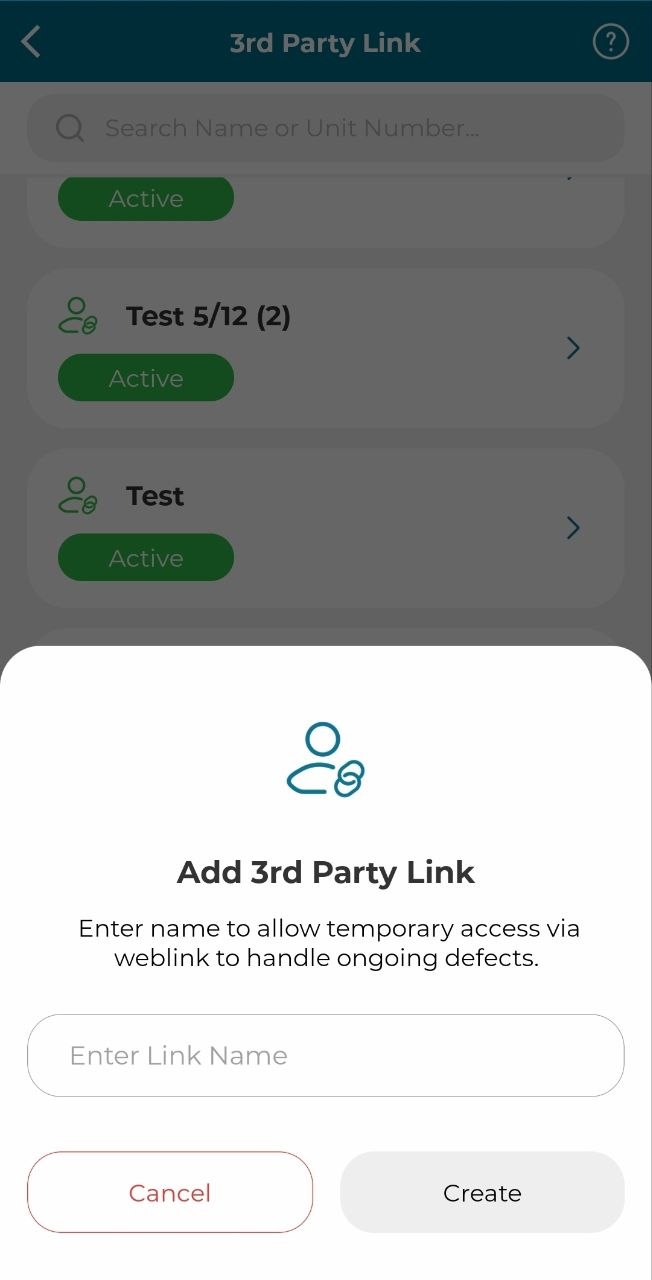
The 3rd party link feature allows the owner to grant temporary access to external parties (3rd party) by sharing a QR code or link, enabling them to inspect and handle defects directly in the system without requiring full user access.
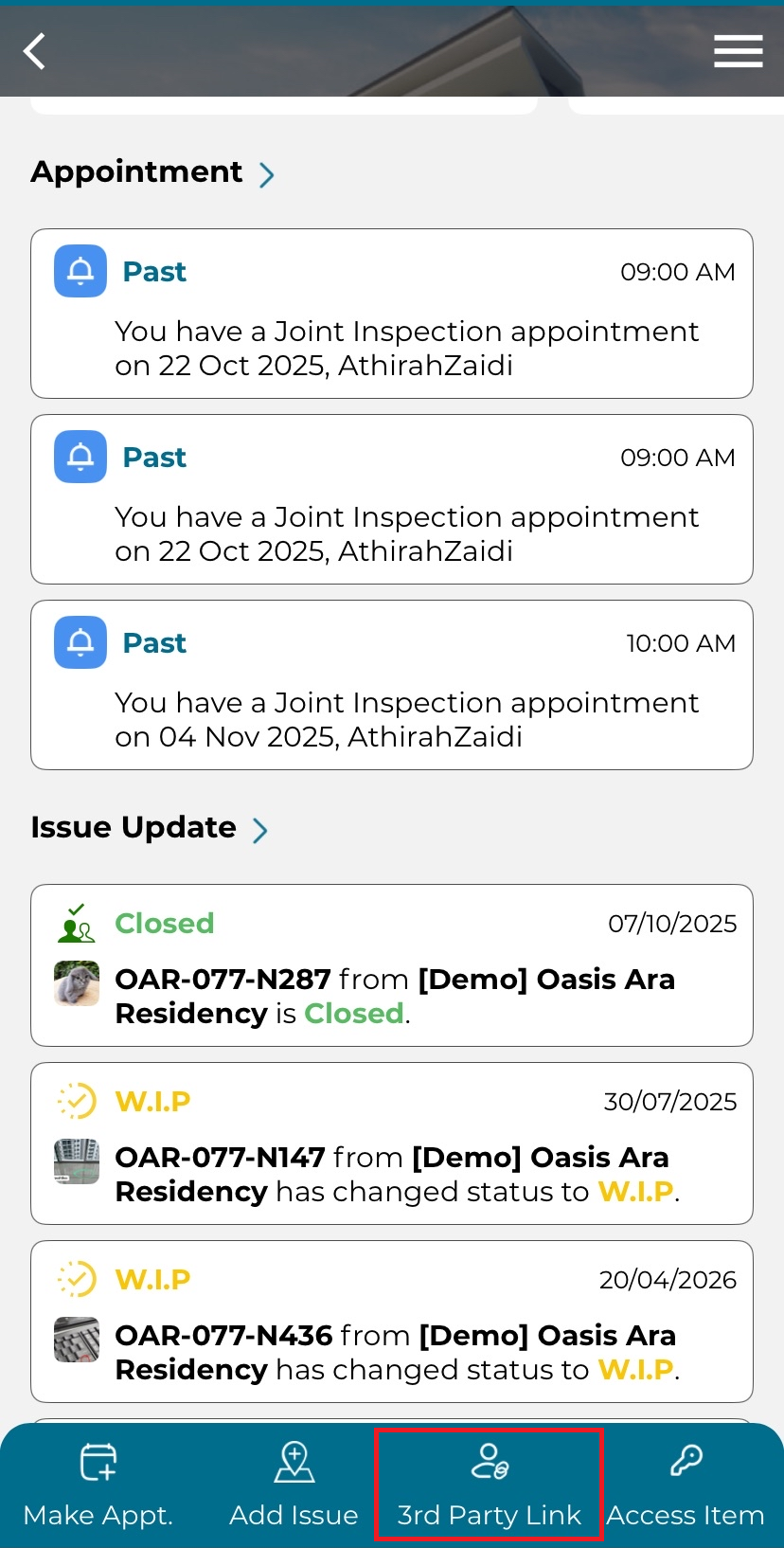
1. Click '3rd Party Link'.
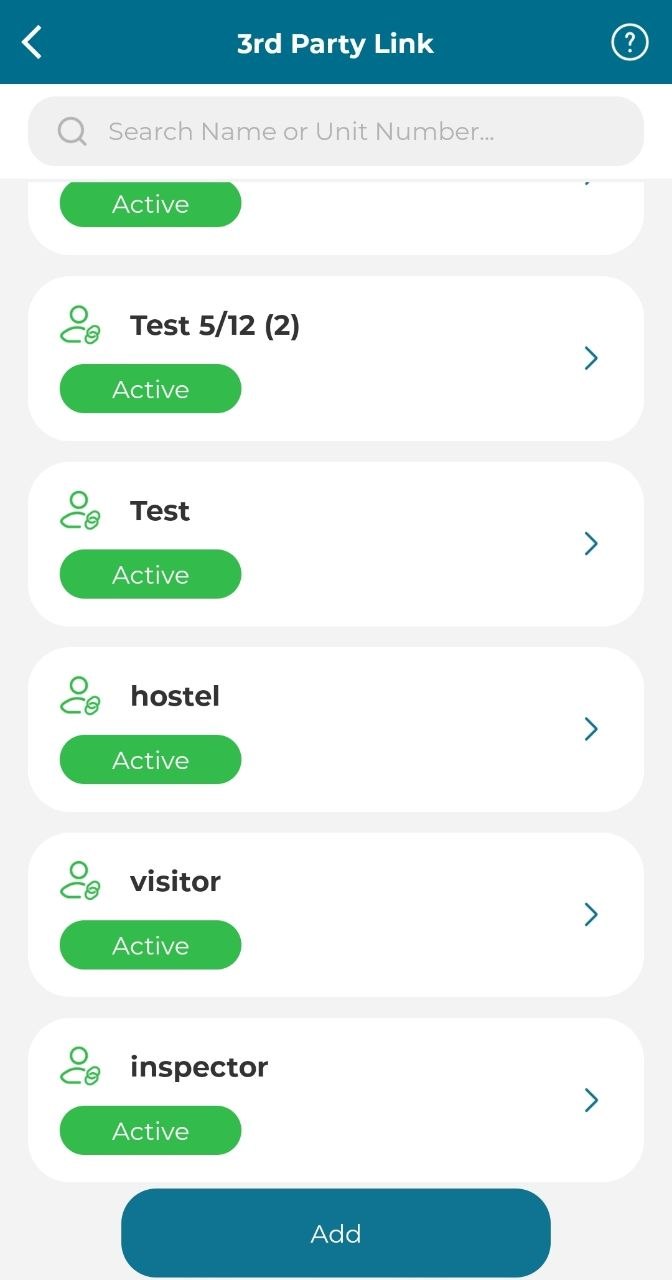
2. Select active user.
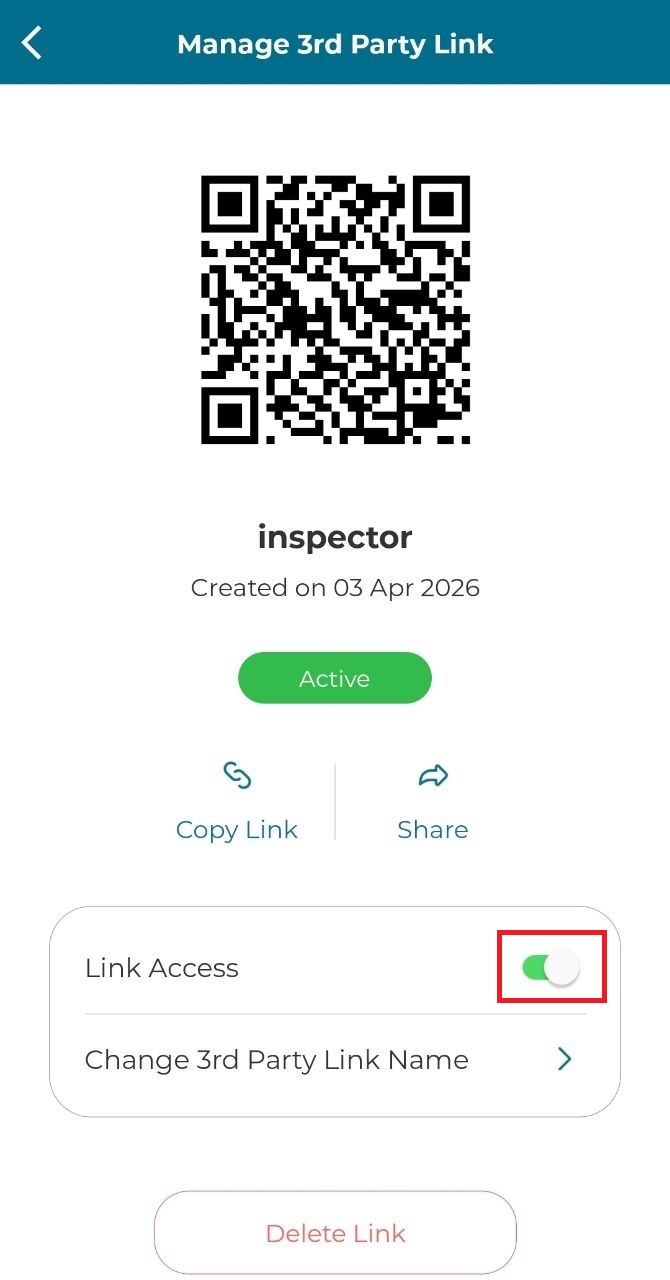
3. User can scan the QR code or copy the link and paste on browser.
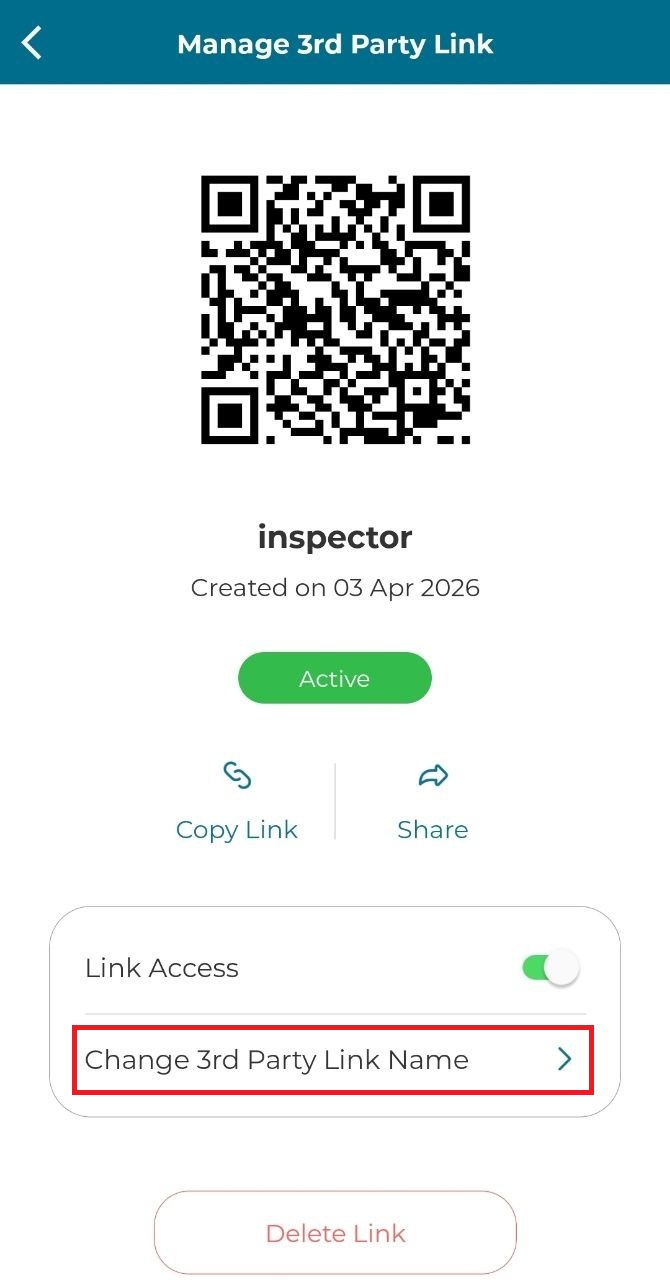
4. Toggle On to active the user, toggle Off to disable user.
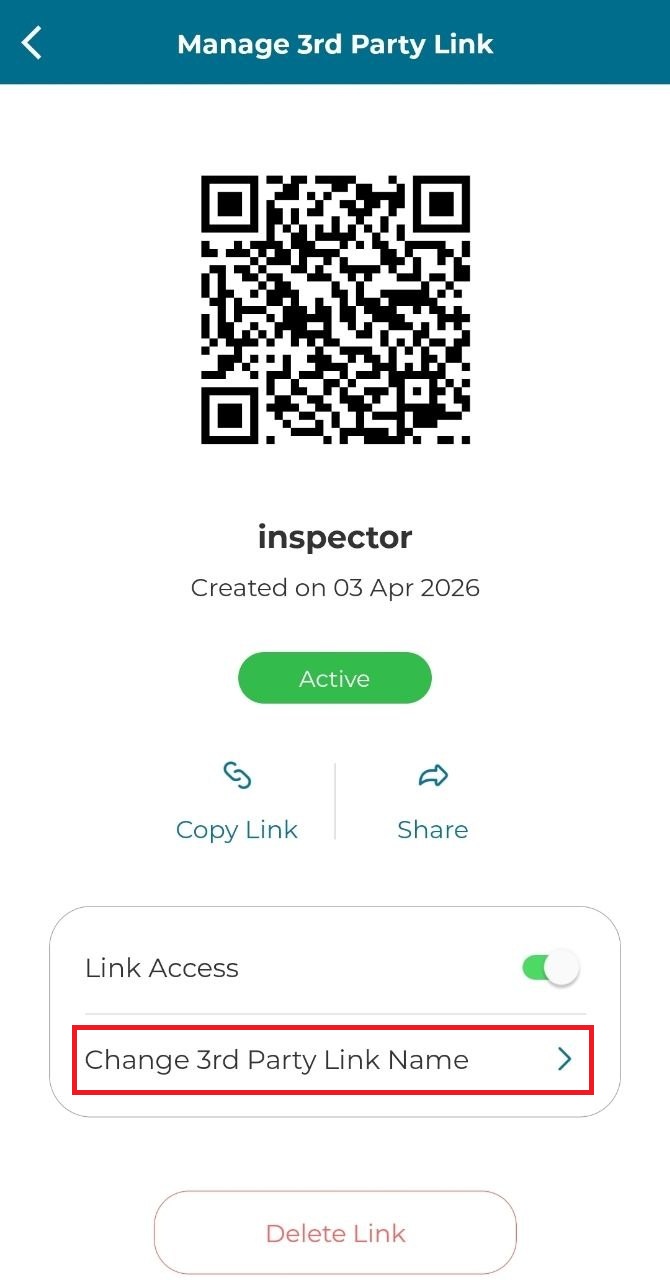
5. Click 'Change 3rd Party Link Name' to change the user's name.
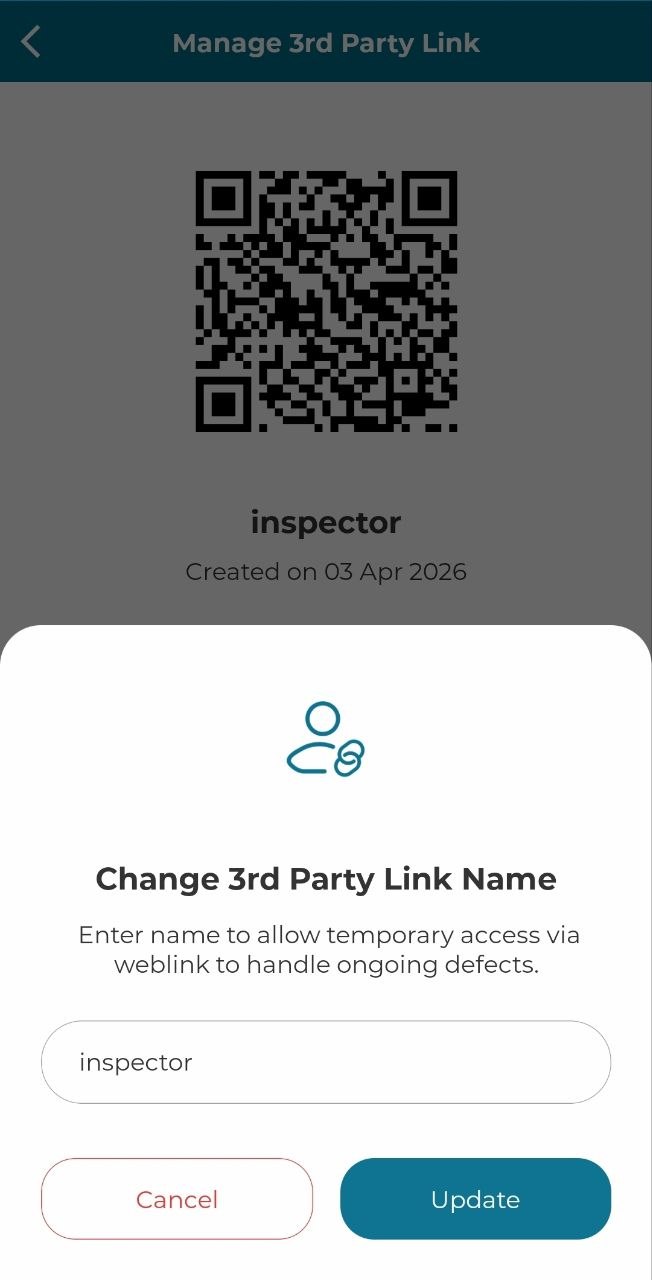
6. Click 'Update' to update the 3rd party name.
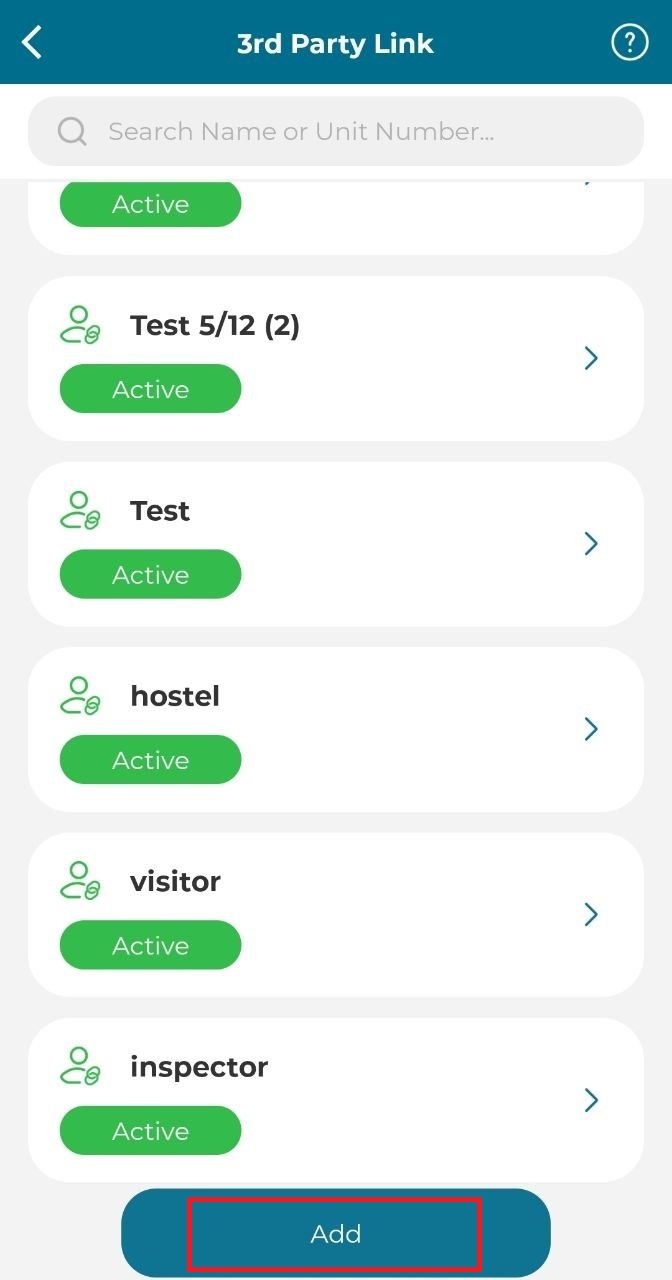
7. Click 'Add' to add new 3rd party link.
8. Enter name and click 'Create'.