Issue Status: WIP (Work in Progress)
1. Click on 'Issue Update'.
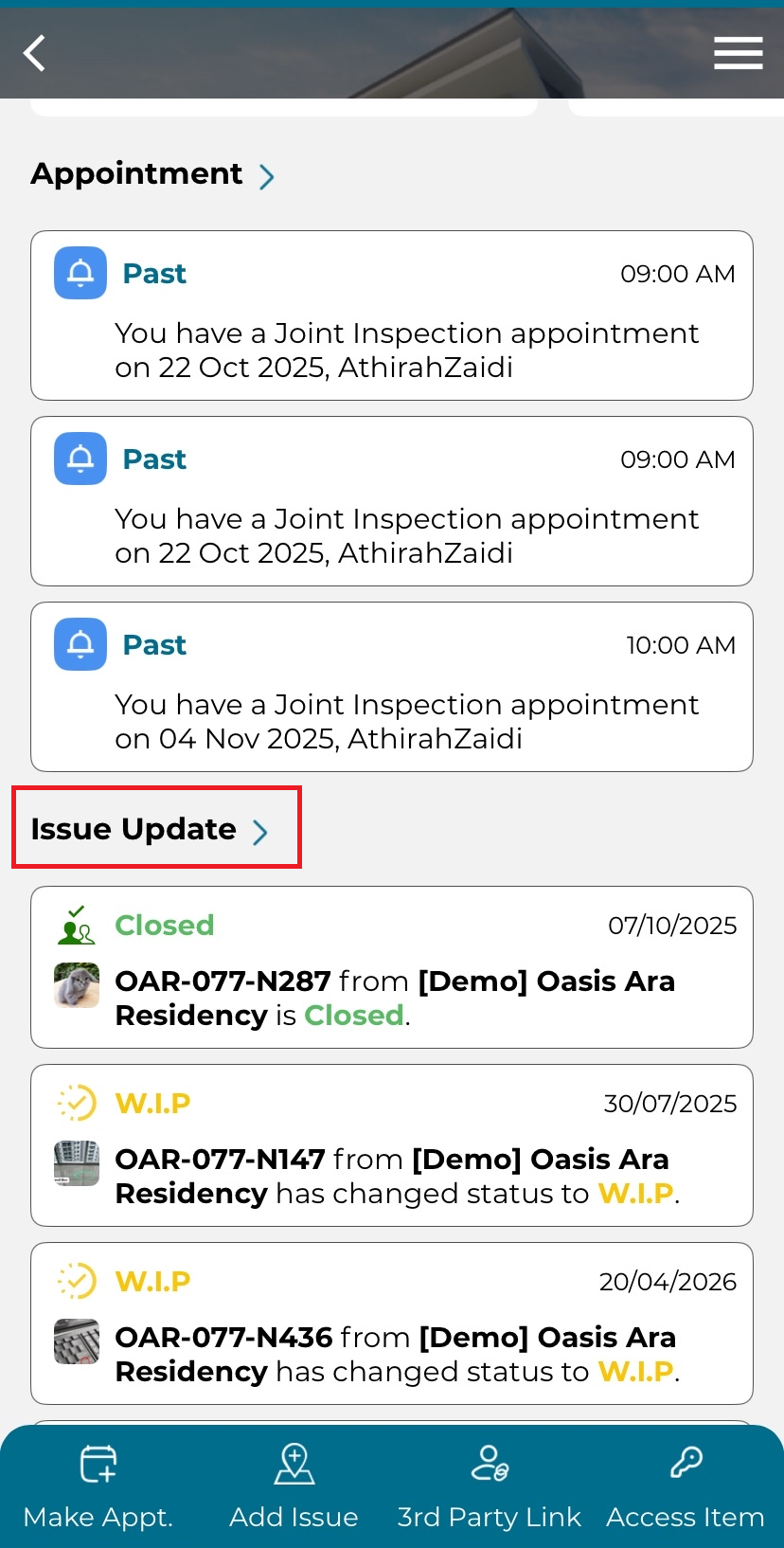
2. Select issue with WIP (Work in Progress) status.
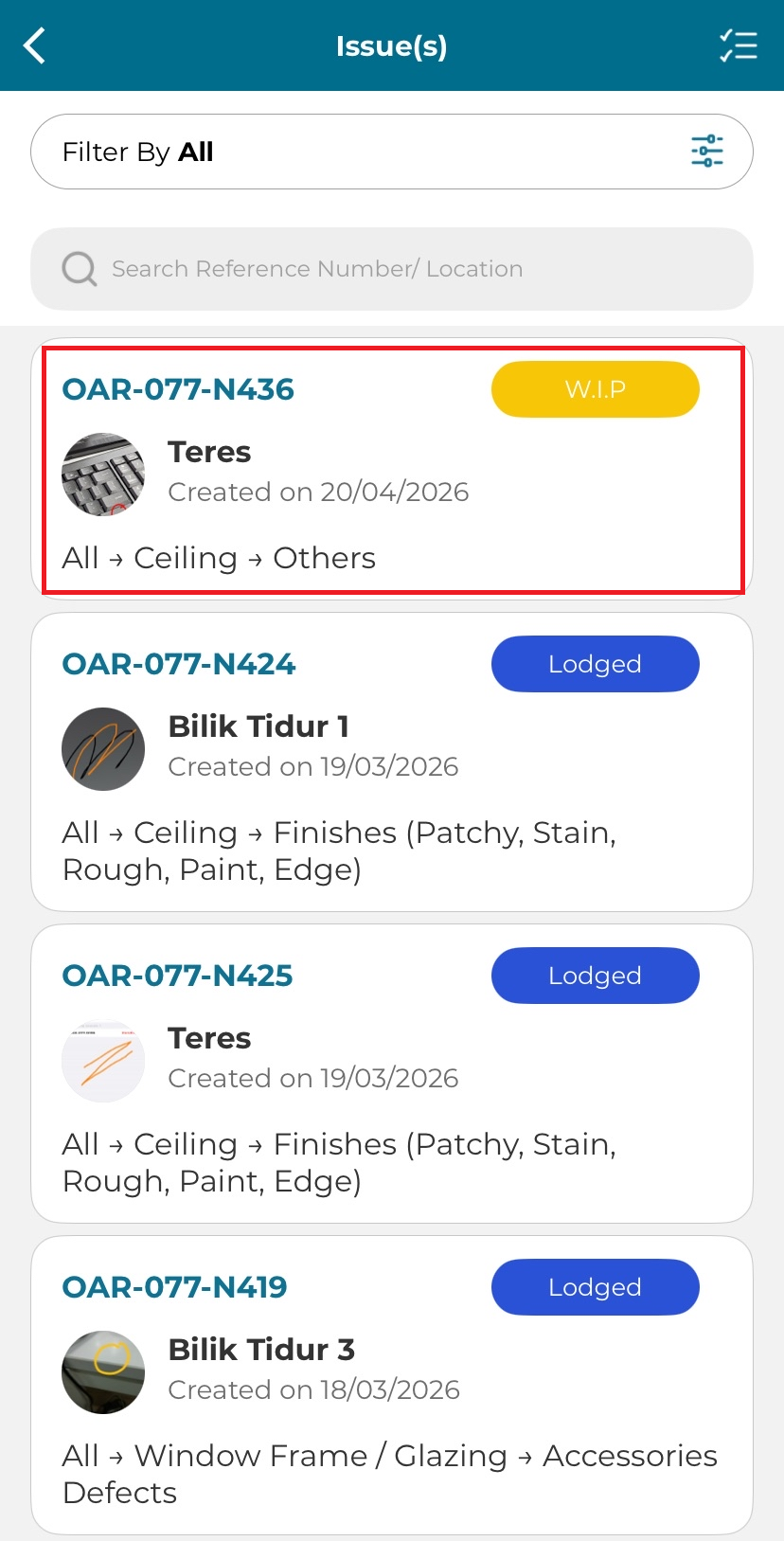
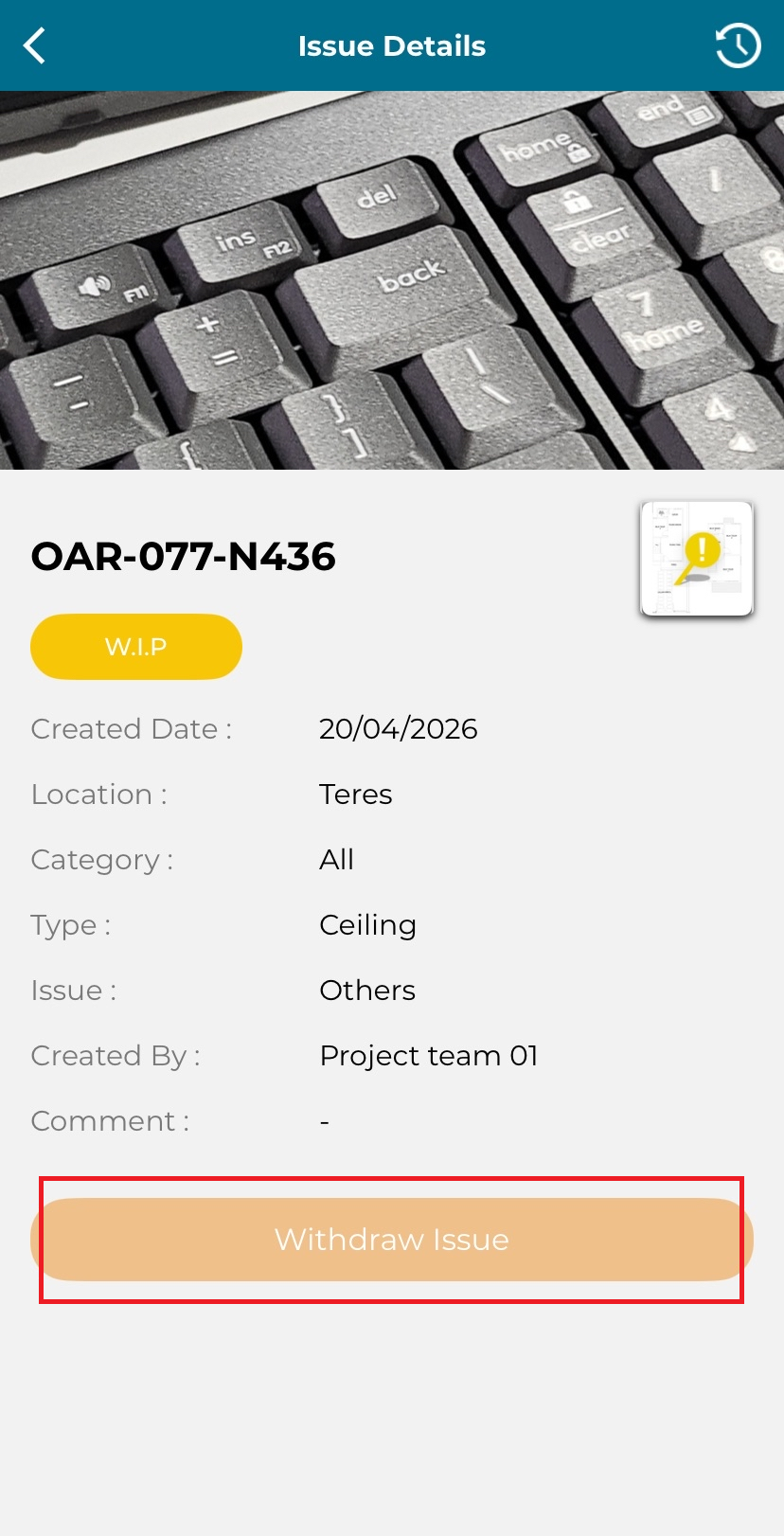
3. Click 'Withdraw Issue'.
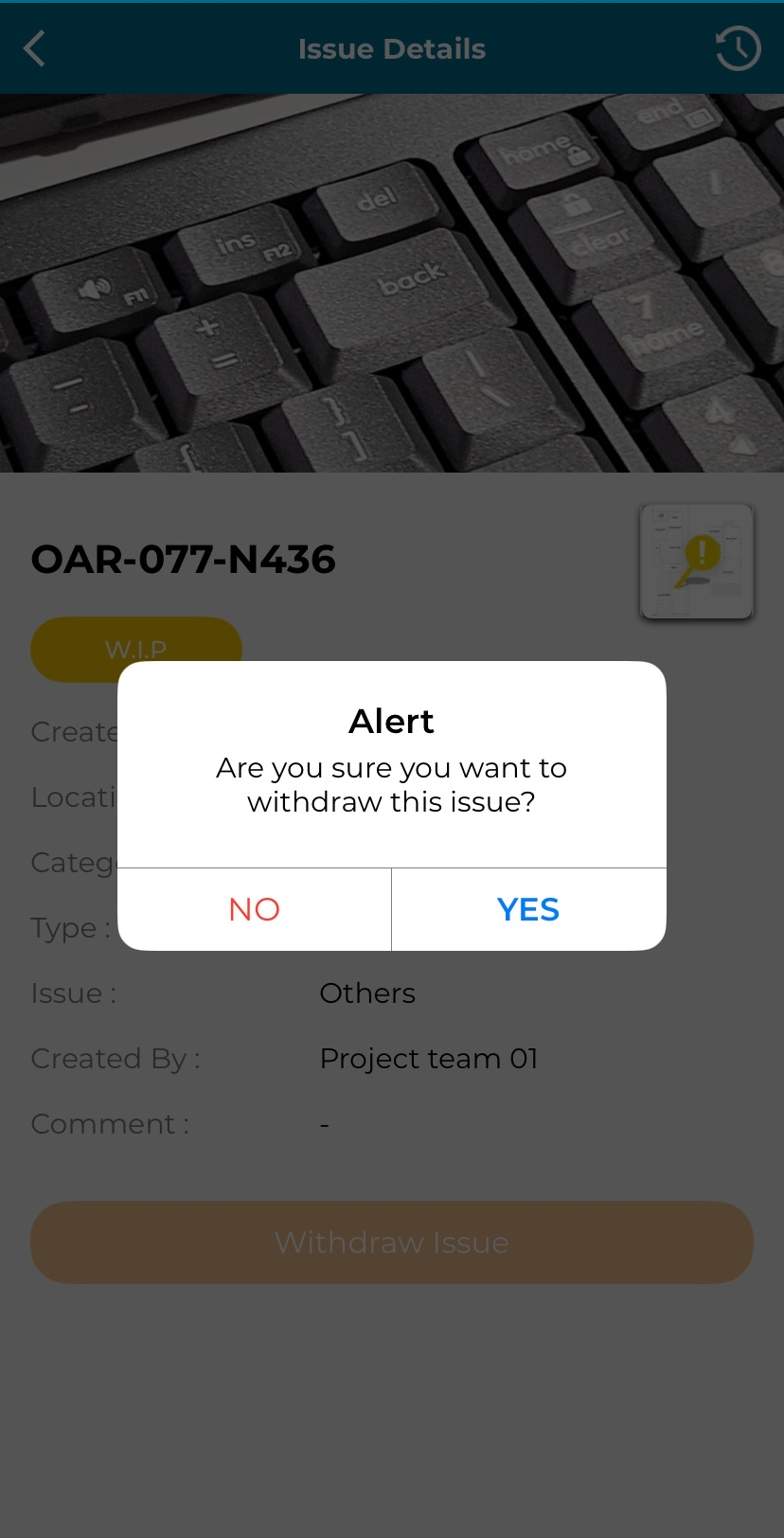
4. Click 'Yes' to proceed with issue withdrawal.

Modified on: Wed, 22 Apr, 2026 at 2:57 PM
Issue Status: WIP (Work in Progress)
1. Click on 'Issue Update'.
2. Select issue with WIP (Work in Progress) status.
3. Click 'Withdraw Issue'.
4. Click 'Yes' to proceed with issue withdrawal.
Did you find it helpful? Yes No
Send feedback