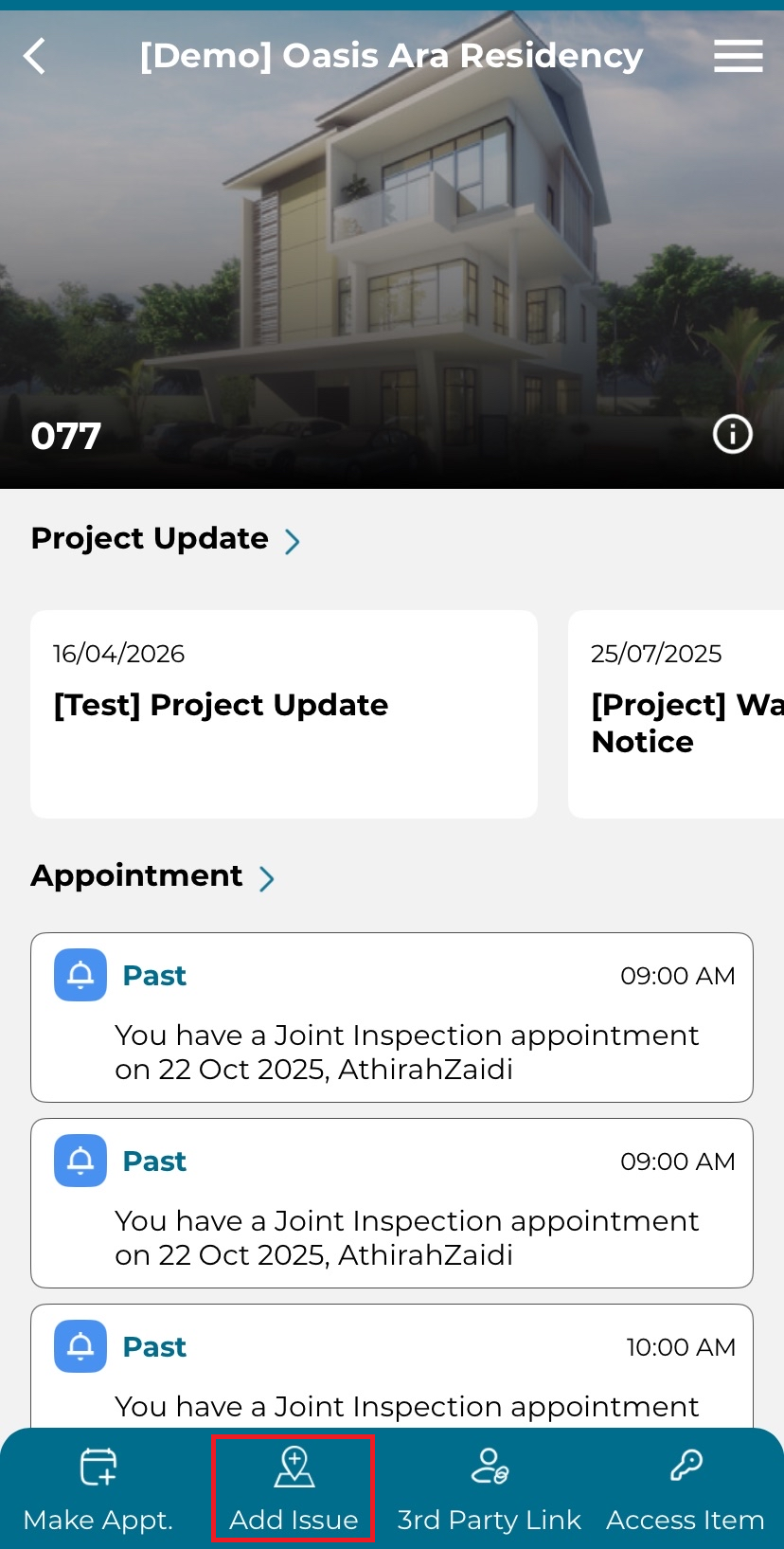
1. Click on 'Add Issue' from the main dashboard.
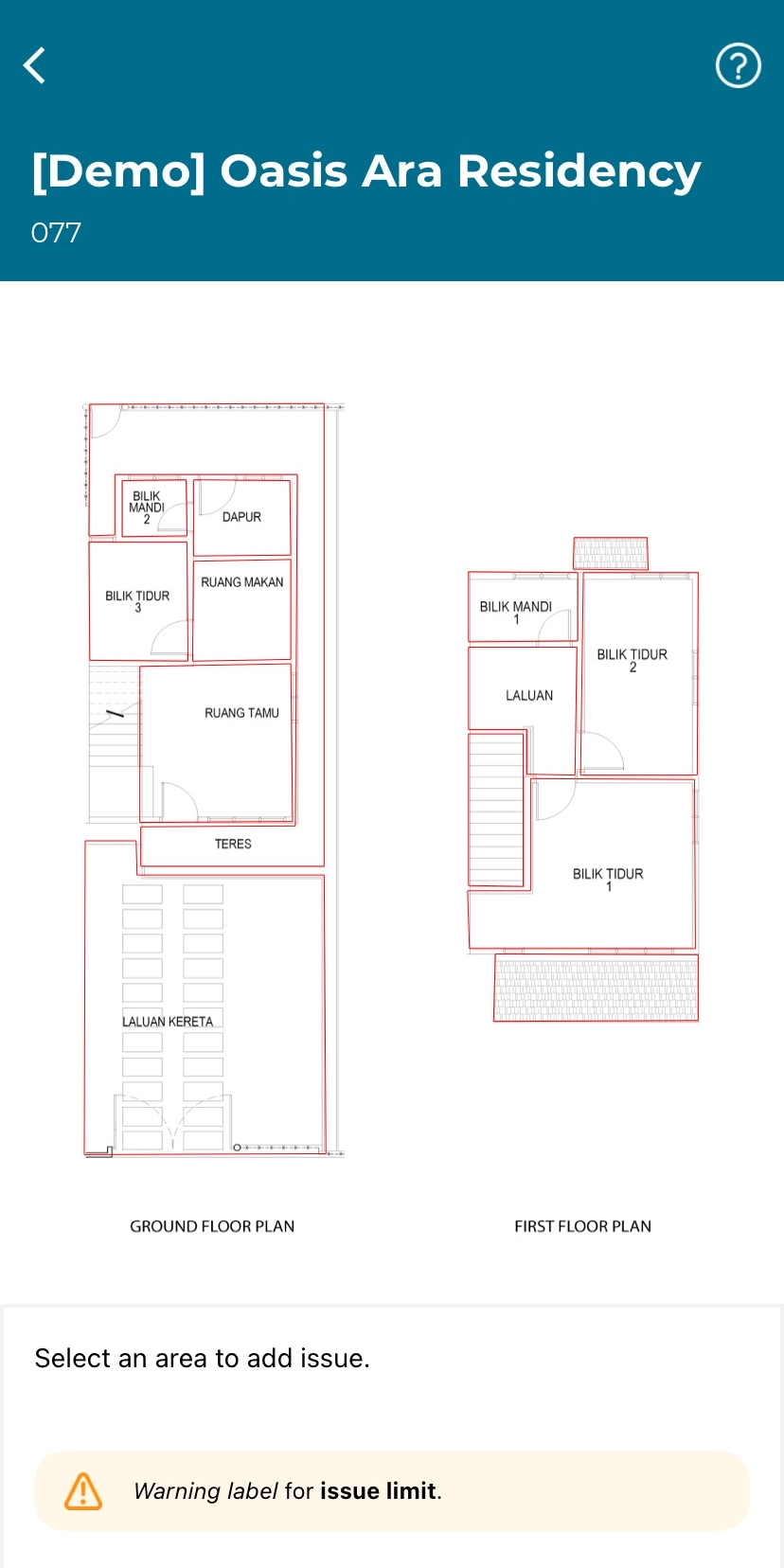
2. Select an area to put a marker to indicate defect.
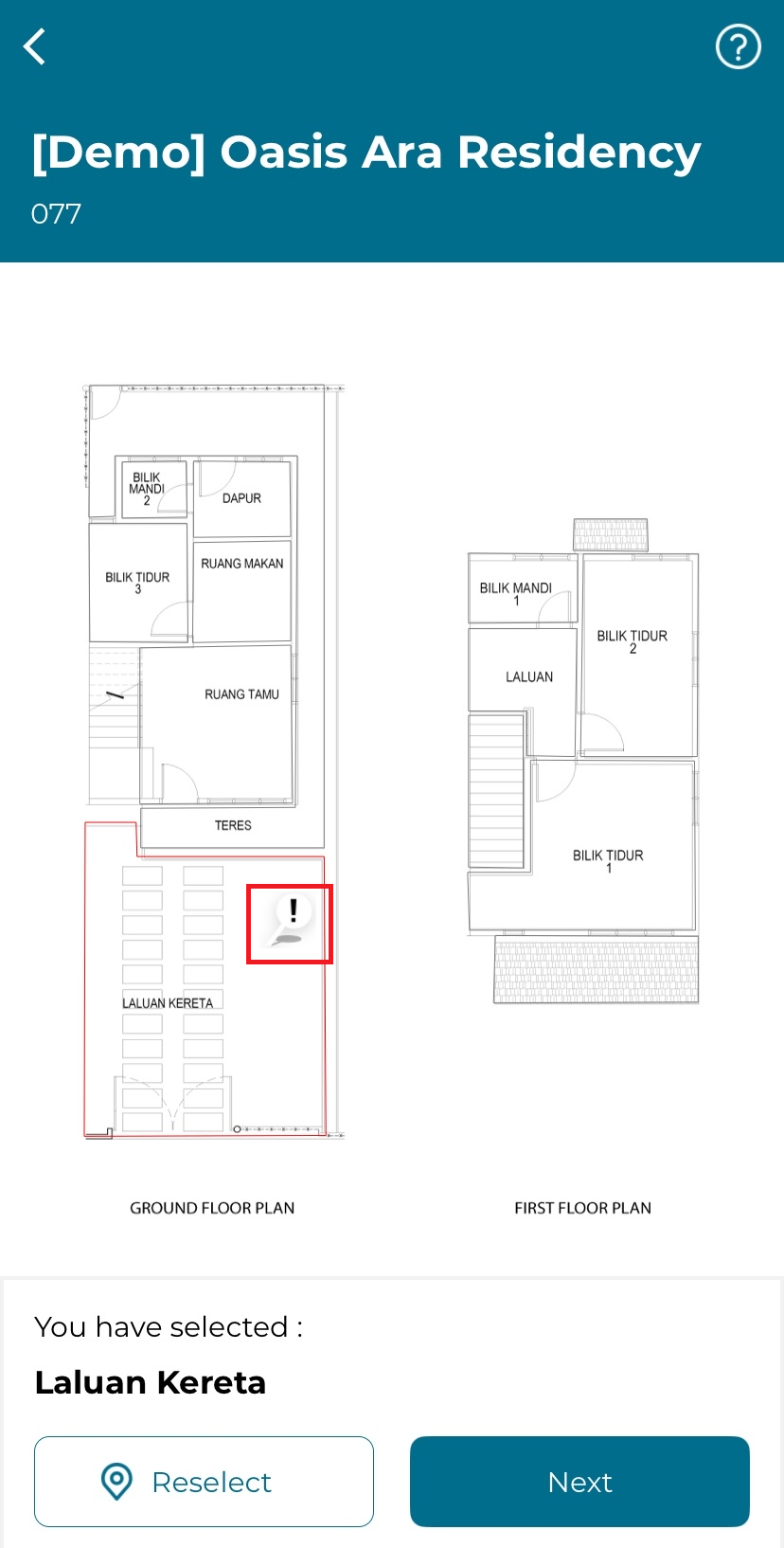
3. Click 'Next' to proceed, click 'Reselect' to adjust or move the marker to a different location.
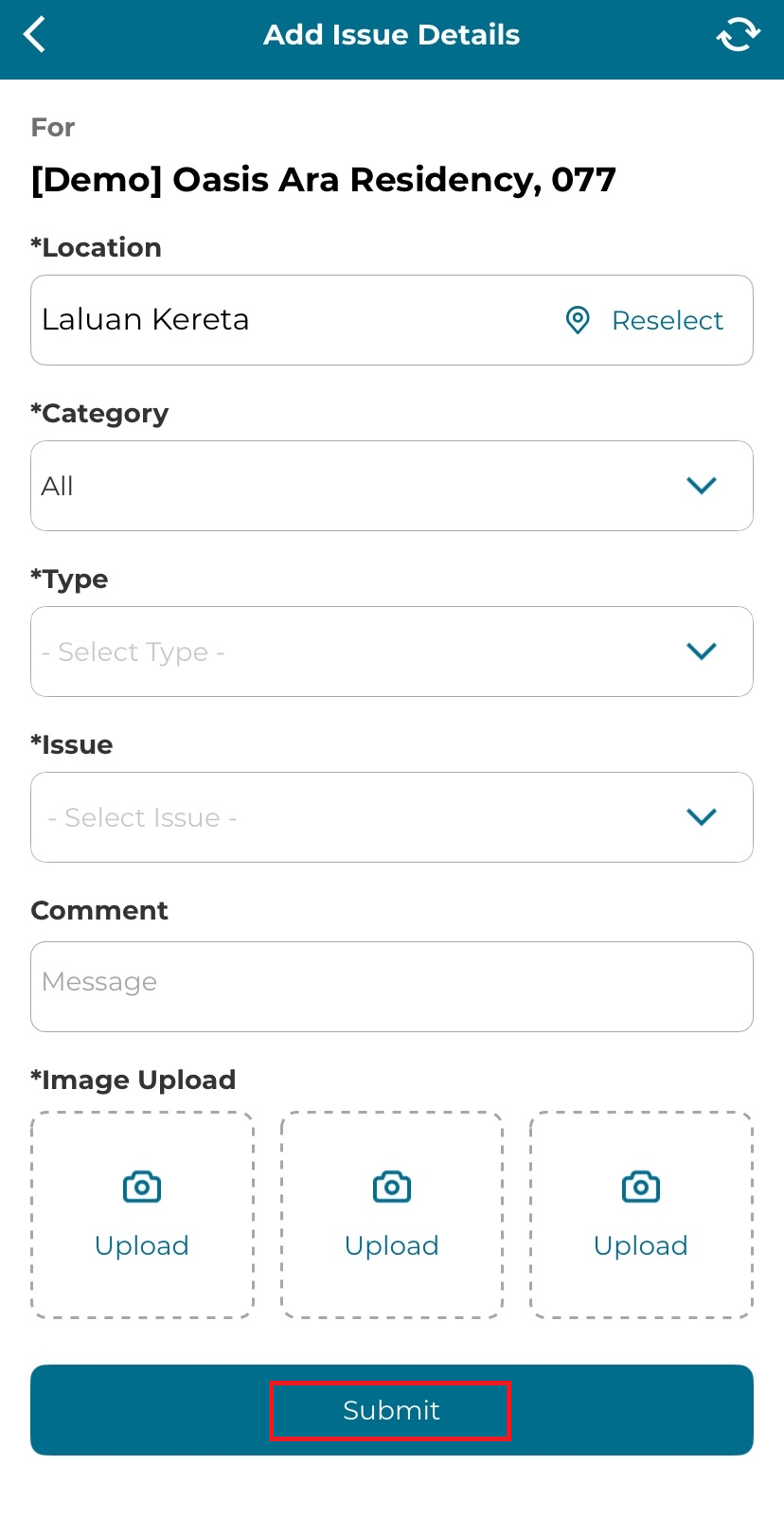
4, Fill in the details:
Location [MANDATORY]
Category [MANDATORY]
Type [MANDATORY]
Issue [MANDATORY]
Comment
Image Upload [Mandatory]
Click 'Submit'.