This function is designed to handle scenarios where a single reported issue needs to be divided into multiple smaller issues, allowing each part to be managed, tracked, and resolved separately for better clarity and efficiency.
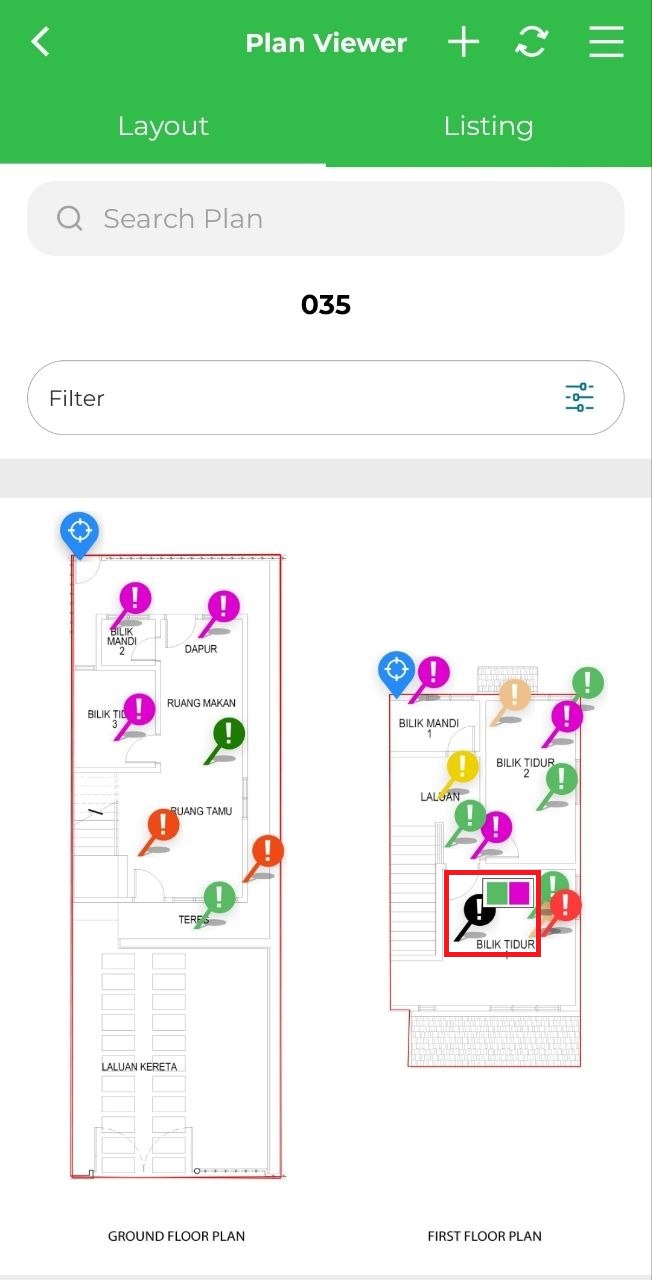
1. Click on the joined marker.
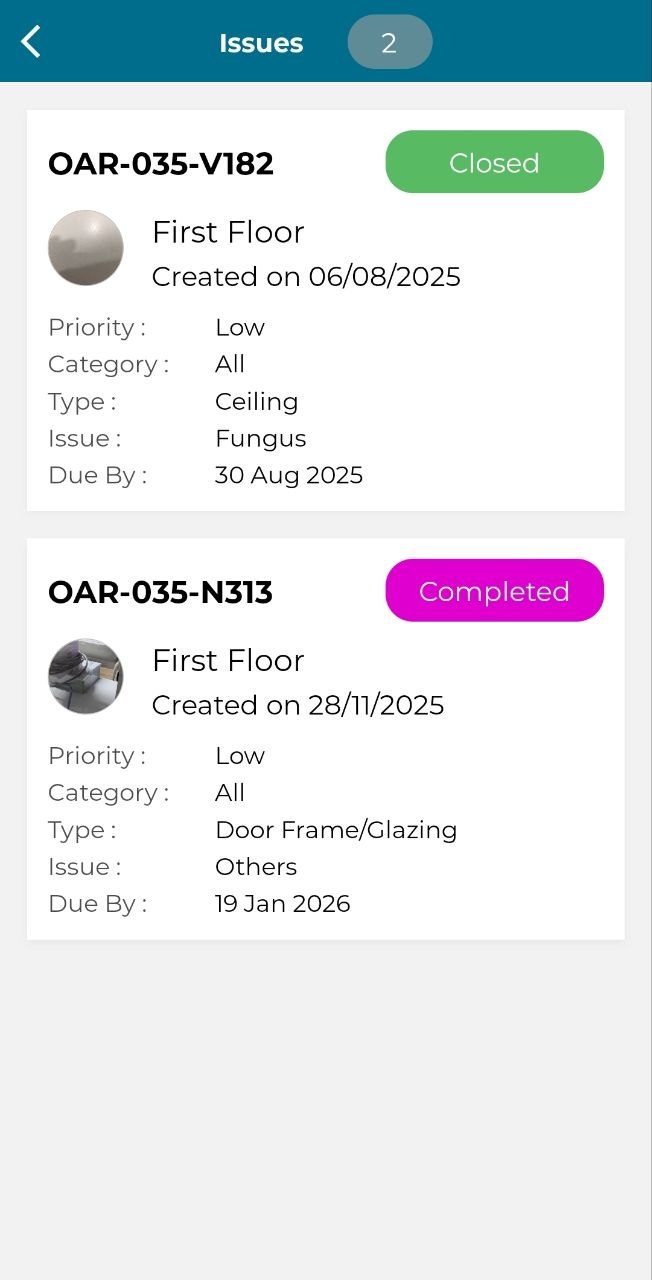
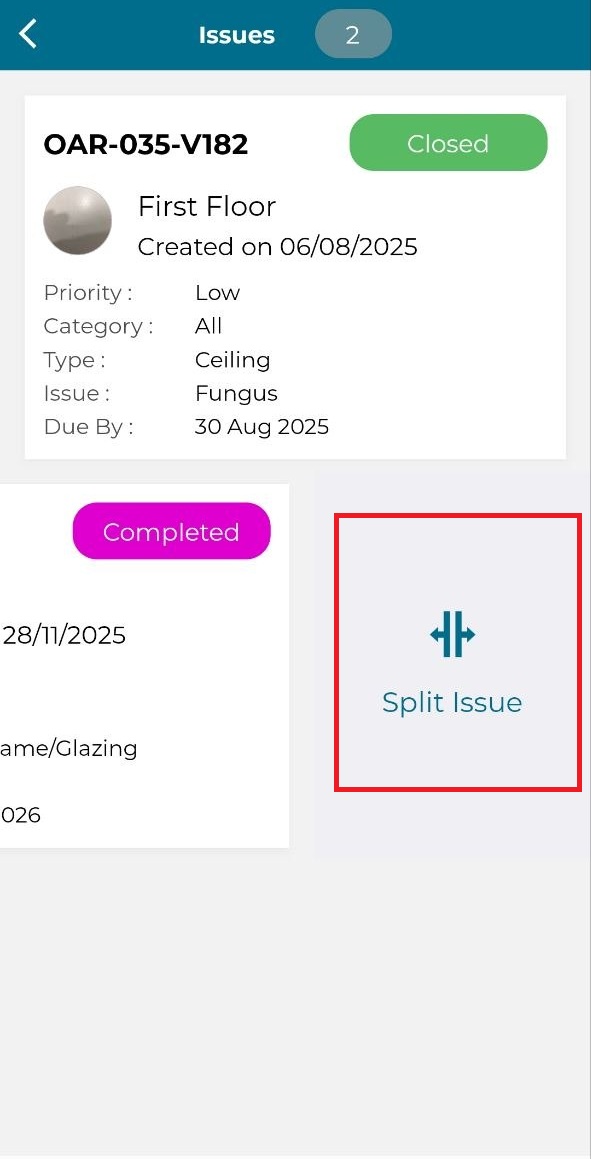
2. Swipe issue to the left and click 'Split Issue'.
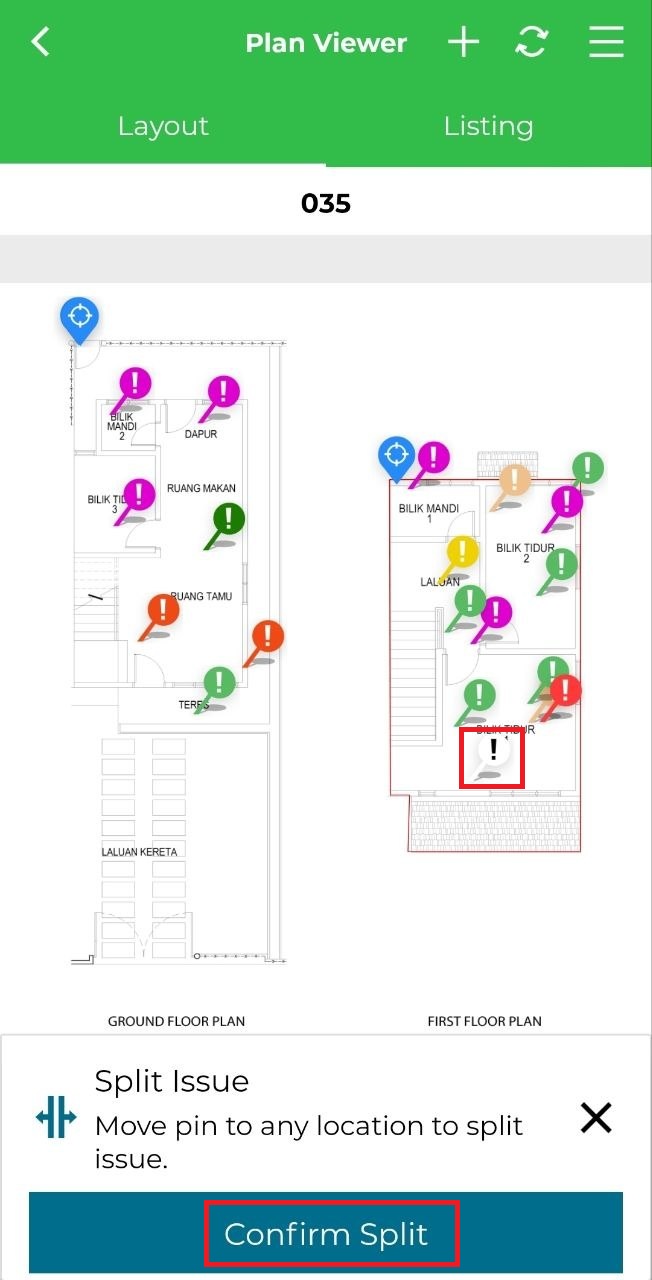
3. Move the white marker to pinpoint the issue in the area of that issue and click 'Confirm Split'.