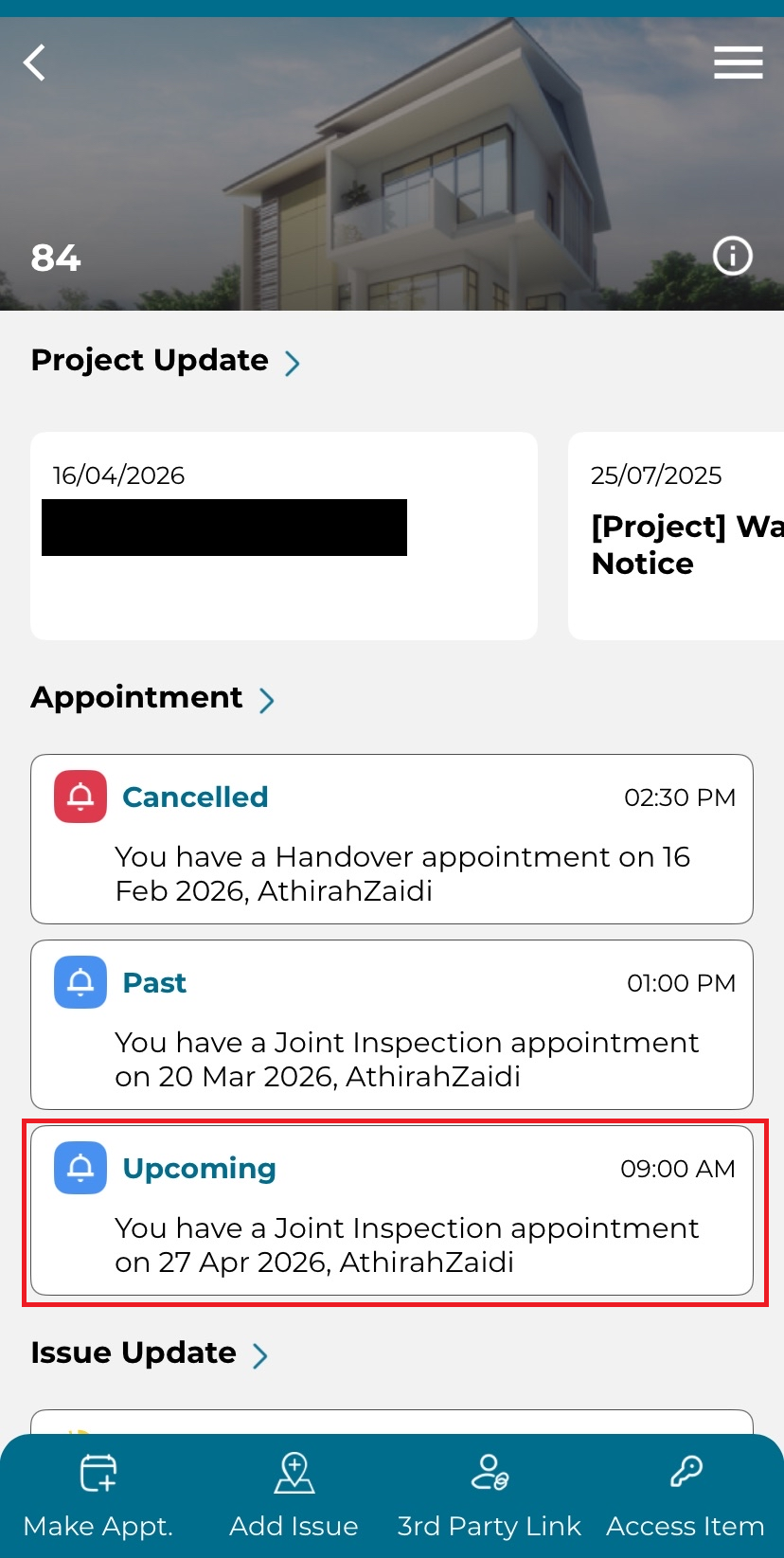
1. On the dashboard page, click upcoming appointment under the Appointment section.
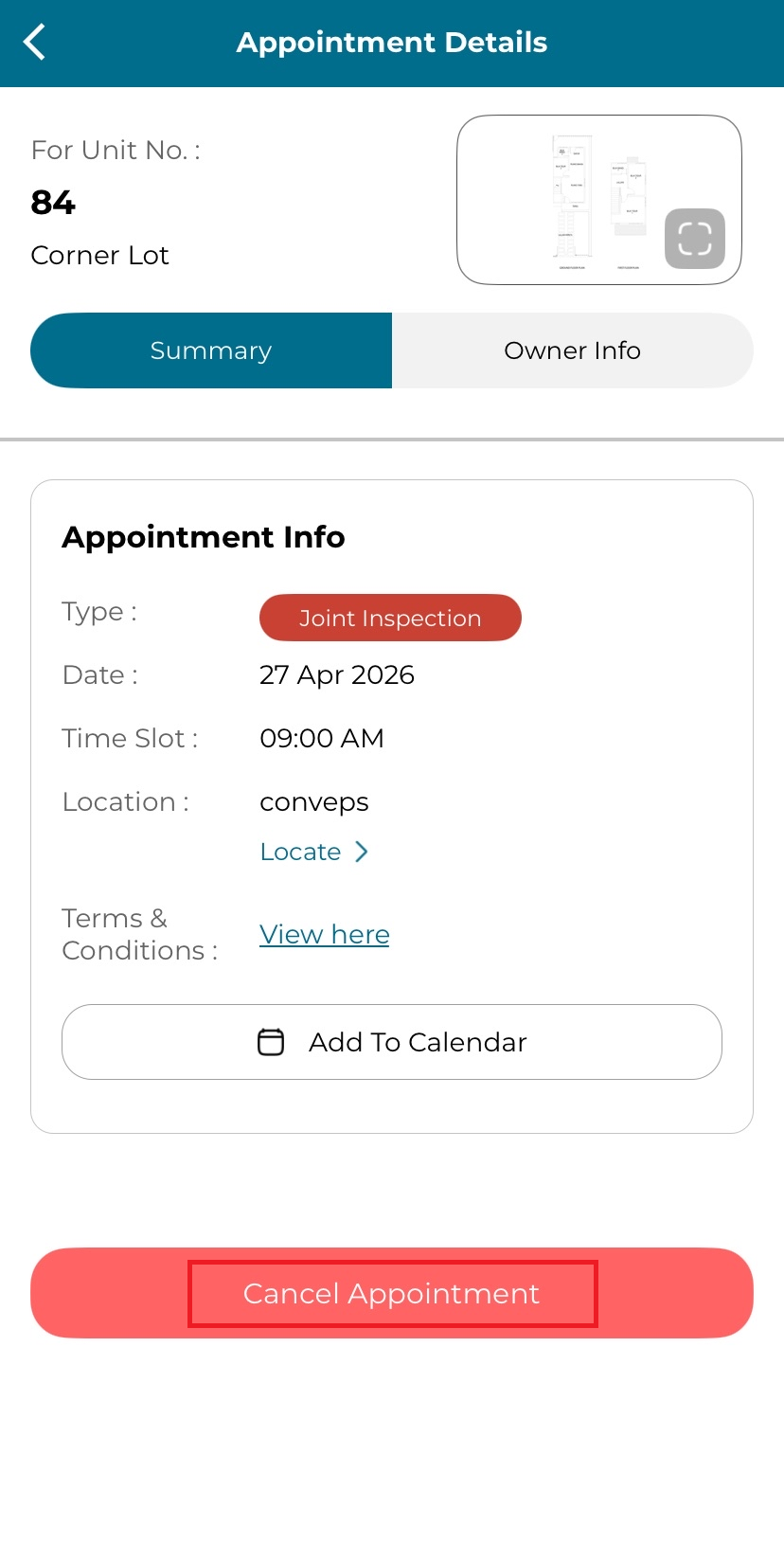
2. Click the button "Cancel Appointment".
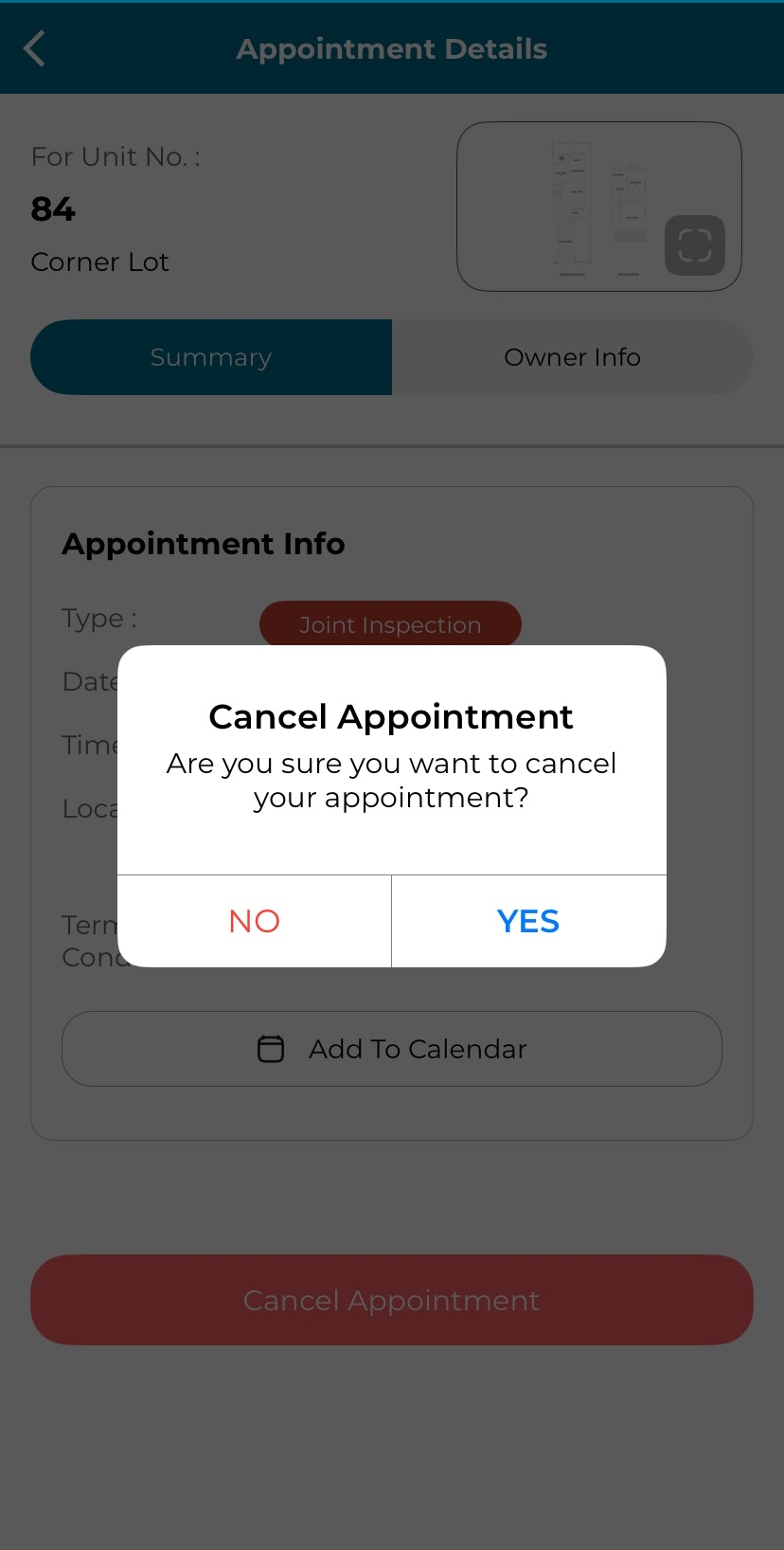
3. Select 'Yes' at pop up alert 'Cancel Appointment: Are you sure you want to cancel your appointment?'.

Modified on: Thu, 23 Apr, 2026 at 3:13 PM
1. On the dashboard page, click upcoming appointment under the Appointment section.
2. Click the button "Cancel Appointment".
3. Select 'Yes' at pop up alert 'Cancel Appointment: Are you sure you want to cancel your appointment?'.
Did you find it helpful? Yes No
Send feedback